Beginner
Tech-Art
Rendering
Tutorial
How I'd Learn Graphics Programming Today
10 min

Time to answer this very common question. How do you actually learn graphics programming?
So, graphics programming and in-engine tech progress create a huge gap:
It is very easy to start experimenting with graphics programming and rendering
But there has never been more to learn
Here you will find:
Curated list of learning resources
How I learned graphics programming
How I would learn graphics programming today
___
List useful links and resources
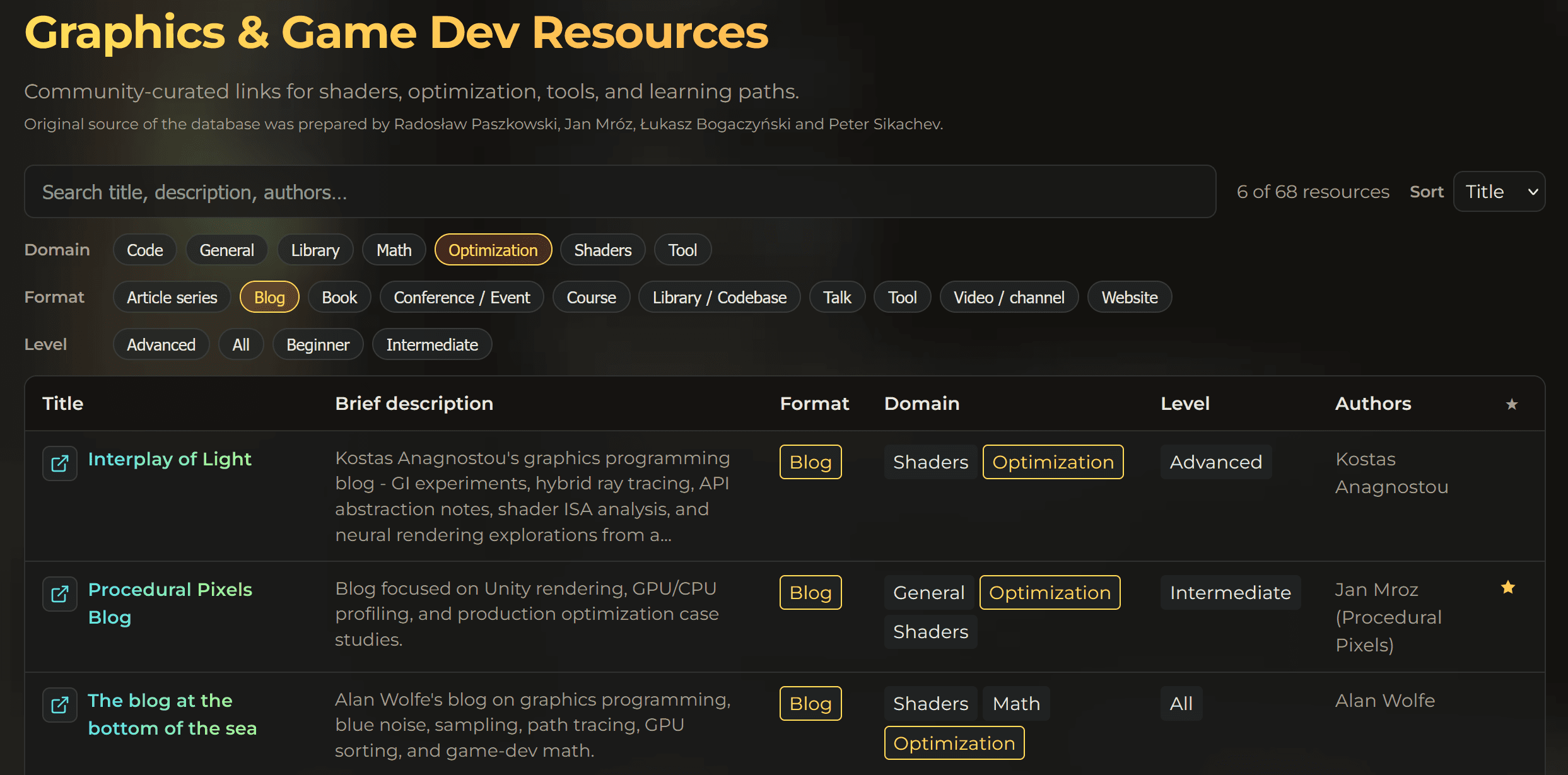
Together with Radosław Paszkowski, Łukasz Bogaczyński and Peter Sikachev we created a list of useful links with great materials to learn from, from YouTube videos for beginners to advanced books with chapters written by industry veterans.
Big thanks to Radosław Paszkowski for this initiative! Make sure to follow his profile on LinkedIn if you have not done so yet!
The list is categorized by:
content type (shaders, math, optimization, code, etc.)
description
level (beginner, intermediate, advanced, all-levels)
media (blog, book, tool, video, conference)
I highly recommend using the custom filters to quickly find what you are looking for.
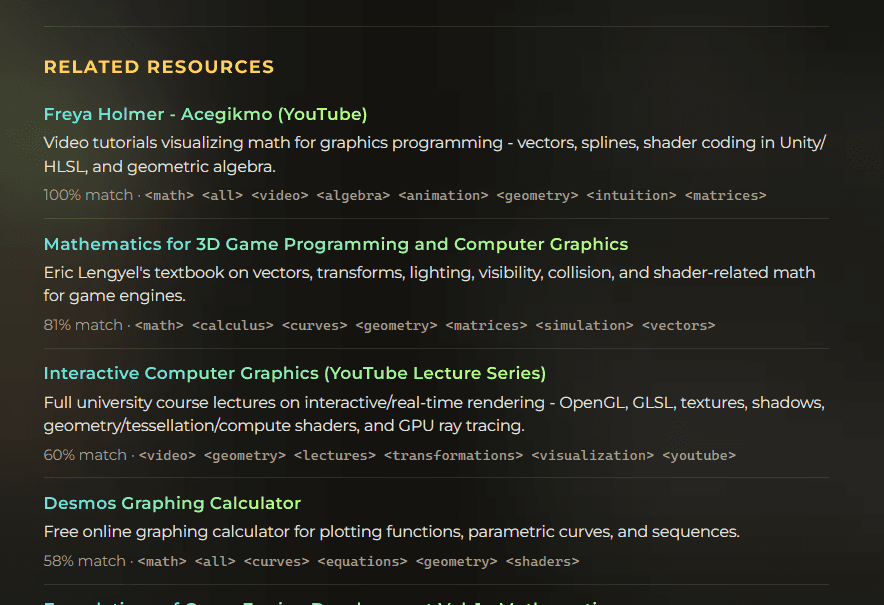
Each entry after opening has a description and a list of similar resources in the database:
Please visit the list and let us know if you think some important resources are missing. We are sure there is much more out there.
If you have a link or resource that should be here, message me on LinkedIn, or join my community to add resources using a form!
___
How would I learn computer graphics today
There are two ways to enter graphics programming today:
From low-level to high-level, where you start by learning to write your custom renderer from scratch using graphics API, like Vulkan or DX12, slowly moving towards implementing more and more advanced tools. Here you will probably reach for tutorials like (opengl, scratchapixel, raytracing in weekend, Real-time rendering) This approach has very high entry barrier, because there is so much to learn just to display your first triangle on the screen, and even more if you want to have support for texture/model imports and 3D scene with object's hierarchy. I feel like this path is much more common.
From high-level to low level, where you start by using common engine to experiment with rendering and gain the intuition first: you write you custom shaders, modify rendering slightly, play with vfx graph, and slowly dig down more and more, getting familiar with the whole tech stack by slowly exploring what's in the engine and getting into more control every day. In this path, it will take you longer to write your custom renderer/engine - but you will gain the intuition for "what's possible" on the GPU much faster.
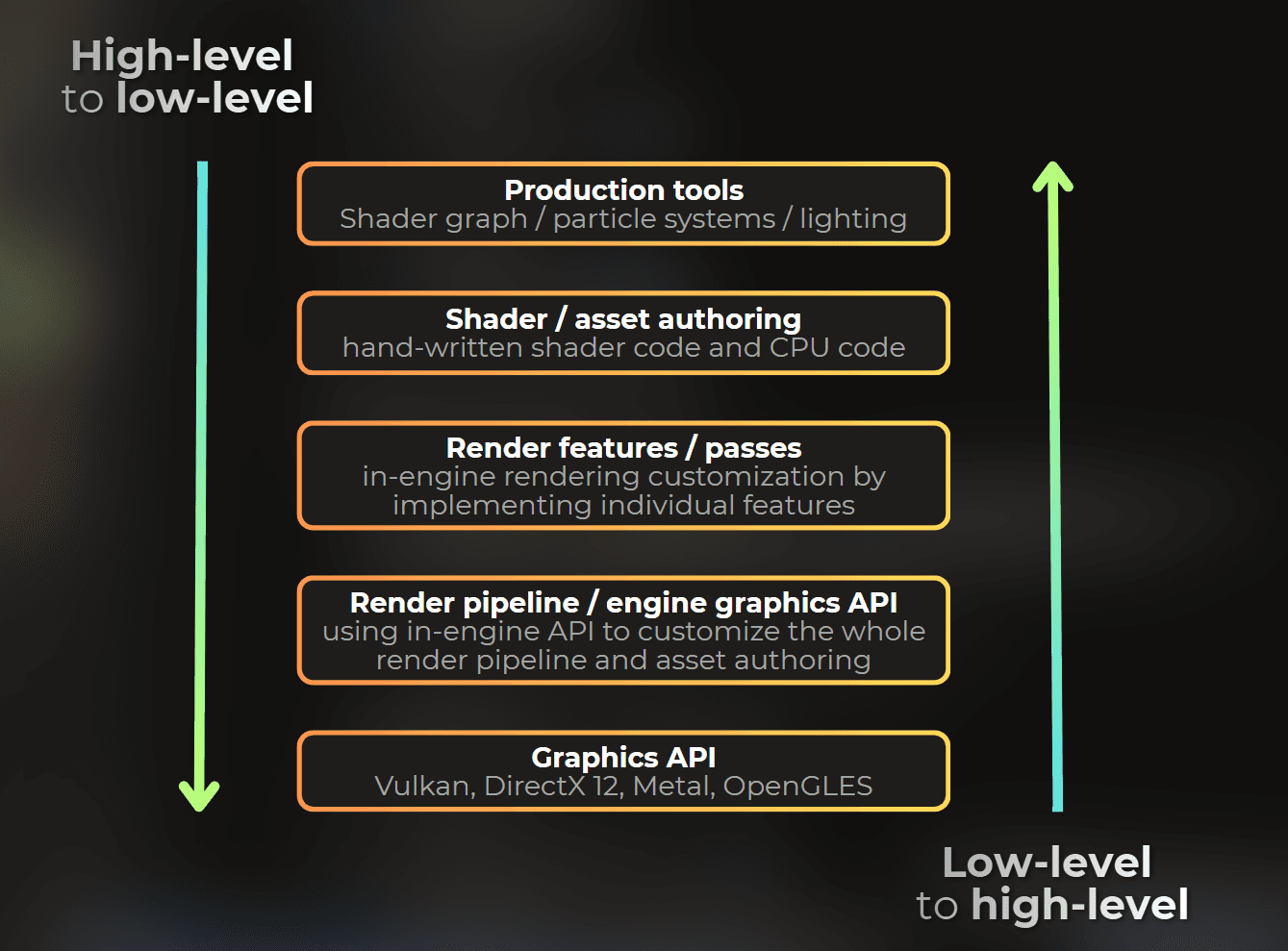
I'm the person that learned through the second path, starting from writing high-level shaders and then learning more and more towards low-level graphics programming. I tried bottom-up approach, but it wasn't suited for me, I was getting frustrated very quickly, because I didn't understand much in my first renderer I implemented in OpenGL.
I know a few people that also learned using this path, and I also know programmers that learned using bottom-up approach. Both ways are great. If you consider tech-art field seriously, I think you should try both and decide which one is better for you.
A note on scope: This article is quite Unity-centric. The learning path below is the one that worked for me in Unity - from ShaderToy experiments to custom shaders, render features, and eventually render pipeline. The resource list is broader, but the step-by-step path assumes you're learning through a high-level engine, with Unity as the main example.
___
My start with game development
I started developing my own games about 15 years ago, when I was 14 years old. I started with Scratch, the platform for visual object-oriented programming. If you do not know Scratch, it is a drag-and-drop programming tool for kids where you can quickly build simple games.
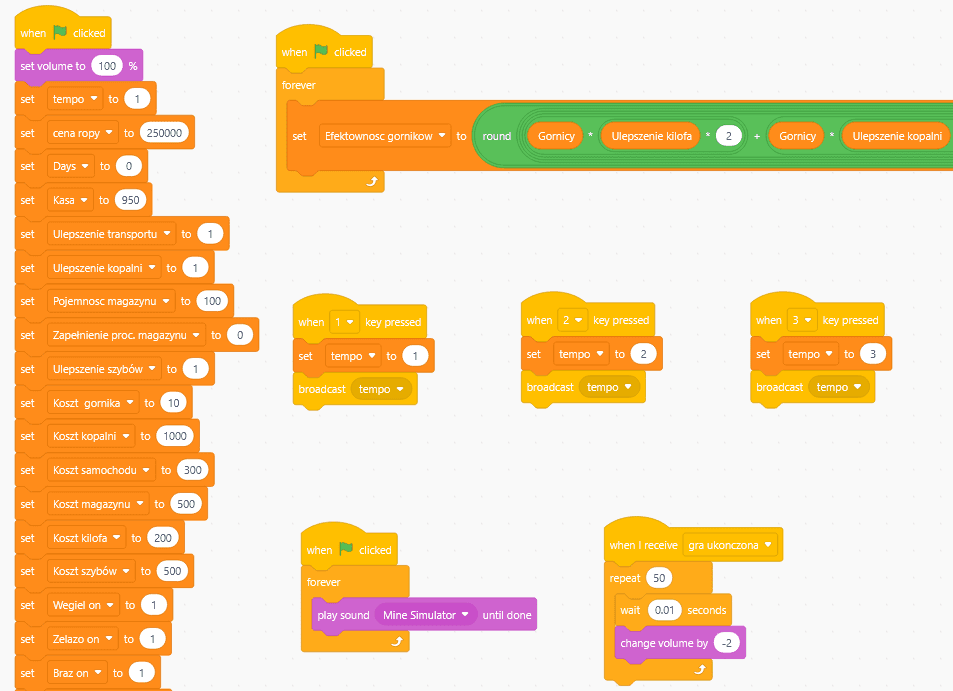
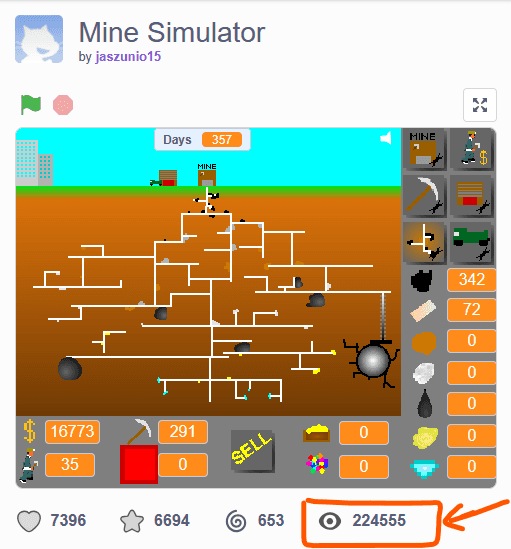
I released my first game in 2015, also made in Scratch. Since then it has been played more than 200,000 times, which is super cool.
In the meantime, I was also learning C++ and developing custom games in the console with ASCII art rendering style. Unfortunately many of my Scratch projects and C++ projects were lost, as I was working on them offline, without any backup :')
___
When I started to make games in Unity
My journey with Unity started shortly after releasing this Scratch game. I spent quite a lot of time in Unity, learning mostly from random YouTube videos. I built a few small games that ended up in my drawer. Some of those games I built with my friends.
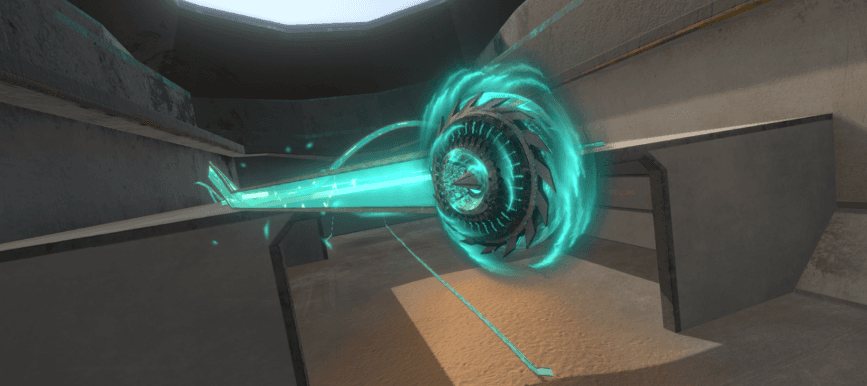
My journey with rendering, shaders, and GPU optimization started in 2017, when I was curious about how engines handle rendering and what actually happens on the GPU. I wanted to understand this "sorcery". I also wanted to become a "sorcerer" who writes rendering and effects from scratch and looks like a magician to other developers. From my perspective, people who did graphics programming were like street magicians. I loved their work so much that I wanted to become like them.
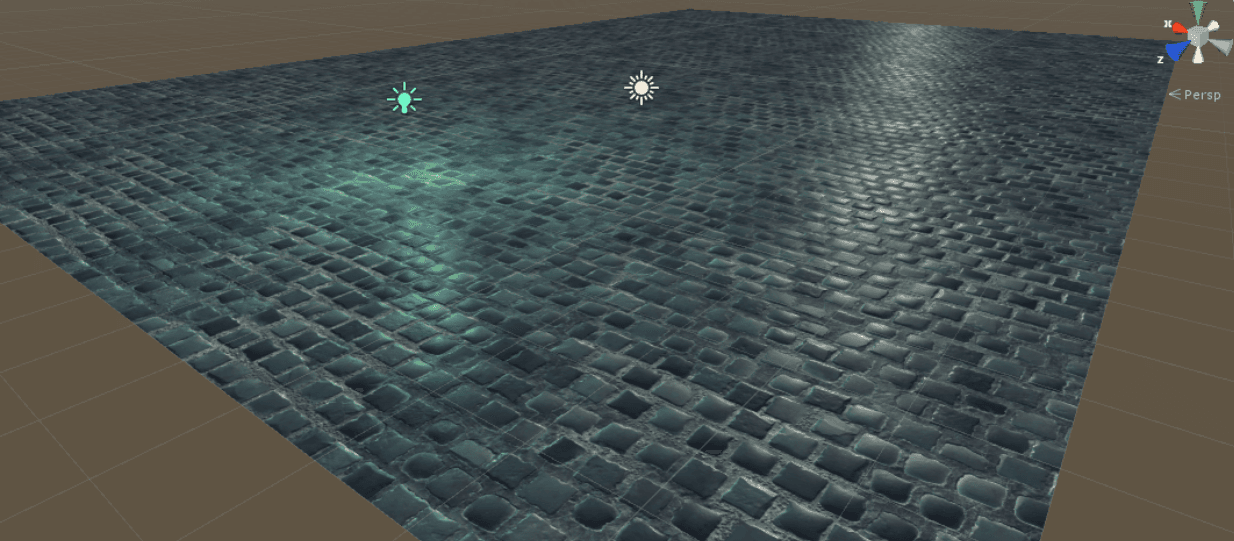
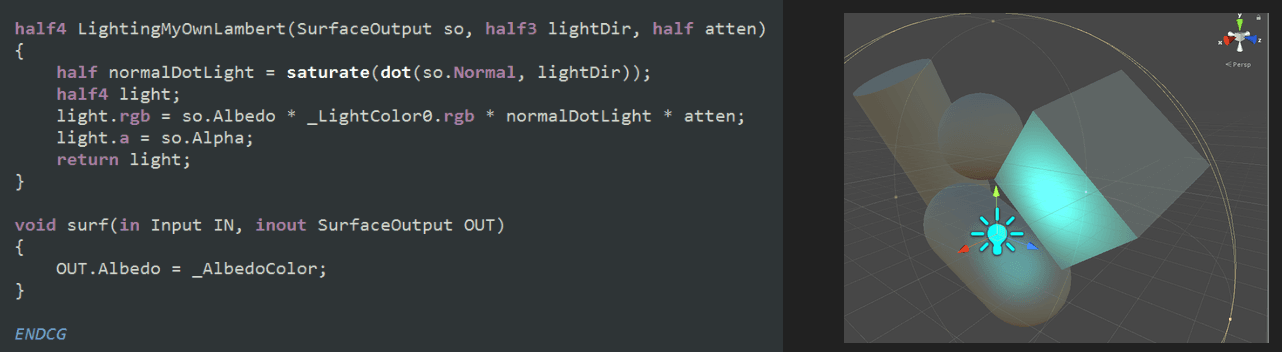
So I bought my first shader programming course on Udemy and started playing with it. It gave me enough knowledge to write custom surface shaders in Unity. That was enough to have fun and experiment. This is my first lighting model, implemented in 2018.
In the next years I used random internet materials, mostly relying on ShaderToy as my main learning platform. This was one of my first shaders I published on ShaderToy: https://www.shadertoy.com/view/tsfGDM
Since then, I have created 196 shaders on Shadertoy (as of writing this article). So you can imagine how much time I spent there.
I got a job in graphics programming 3 years after I started learning about it. My role back then was more like "this guy who understands shaders and can optimize stuff in Unity", and since then I have been fully committed to tech art and graphics programming in my job and in my free time.
Since then I learned about compute shaders, creating custom render pipeline in Unity, how to integrate many "shadertoy" effects into Unity etc.
You can see that I attacked graphics programming from a completely different direction than what many people recommend. I started by coding my own shaders in Unity, using high-level "surface" shaders. Then I slowly moved from high-level concepts to low-level understanding, starting to appreciate custom render pipeline development and implementing rendering from scratch.
I decided to specialize in rendering customization in Unity rather than specific graphics APIs. So if you ask me what graphics API I know, I speak fluent Unity graphics API, not DX12, Vulkan, or Metal. If needed, I can dive into the DX12 call stack and recognize problems there, but I mostly work within the Unity graphics API.
I also recognized that optimization knowledge is hard to find, so I started this blog and my LinkedIn account.

___
How I would learn graphics programming today
Since I learned graphics programming mostly on my own, starting from the high-level engine perspective and slowly moving toward low-level implementations. While I don't recommend no-mentor route today,
I think the approach from high-level perspective to low-level is extremely valuable, or at least it was valuable for me.
Graphics programming is complex. You need to master a lot of things to implement your own rendering in any graphics API. Look at what you need to understand just to render some models in 3D space:
GPU device initialization
Window creation
Asset import (images/meshes)
Shader writing (vertex/fragment shaders, textures, simple lighting models)
Shader compilation
Other GPU resource initialization (buffers, color/depth targets)
Pipeline state configuration
Linking shaders, assets, and pipeline state
Rendering dispatch
Mouse/keyboard input handling
There is a lot to learn just to start! And it is very taxing. Tutorials like LearnOpenGL or Scratchapixel walk through this process quite nicely.
I tried to implement my own renderer in OpenGL, but it was extremely frustrating for me to do stuff I don't understand for so long. This is why I decided to stick to the top-down learning approach.
So here is the path I would follow today - highly recommended when starting from OpenGL/DX12 seems too harsh:
___
1. Understand fragment shaders first - Shadertoy
It is important to understand what is possible on the GPU. GPU programming is a completely different paradigm compared to CPU programming. Everything here is massively parallel. Constraints, performance rules, and coding style are all different.
When you have experience with CPU programming, your intuition will not work here.
I think ShaderToy is the best place to build this intuition. If you want a more guided introduction first, The Book of Shaders covers similar ground.
ShaderToy simplifies things a lot. You can only write fullscreen shaders. The only data you get for each pixel is UV.
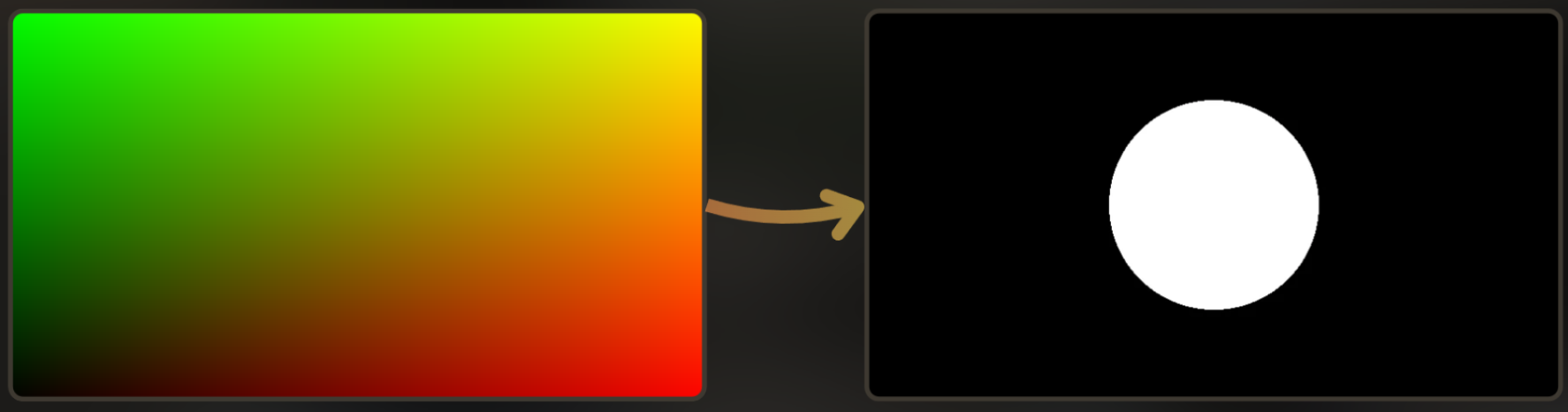
So effectively, you need to write a function that takes a 2D argument and returns an RGB color:fragmentShader(x,y) -> r,g,b
For example, this function draws a circle at the center of the screen. Good first exercise - you take distance from a point, compare it to radius, and boom, you have a circle. School math:

Basically, it converts UV into a circle shape:
I highly recommend the Unofficial ShaderToy Plugin (Chrome, Mozilla) because it adds useful features like resolution change and sliders to control time. For deeper ShaderToy tips, the ShaderToy Unofficial Blog is also worth reading.
How I would learn in Shadertoy (with links to shaders I created while learning):
Learn to visualize colors. Screen only shows RGB from 0 to 1. Start here. Once you internalize that shaders output numbers and those numbers become color, a lot of things becomes easier.
Draw simple shapes, like a circle. You literally use school math. Check distance, compare to radius, done.

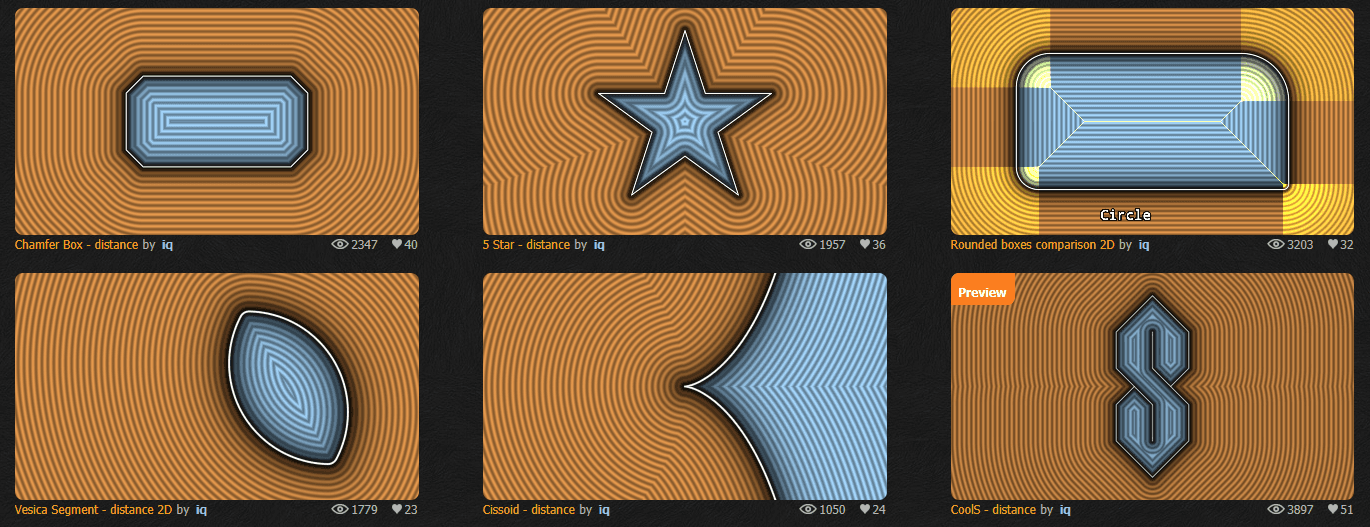
You can use SDFs from Inigo Quilez (shader playlist) to draw more shapes. Again, those are just math equations.
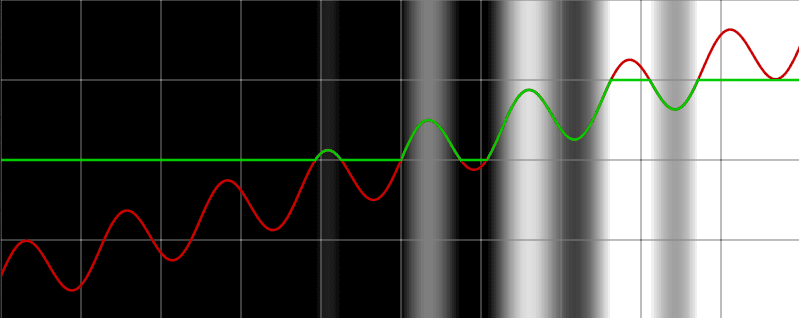
Try to figure out how to do antialiasing. Hard edges look jaggy because the screen is a pixel grid, not a smooth surface. Once you fight that here, you'll start seeing the same problem in textures, UI, everywhere. I wrote more about this in the nature of the pixel. It's good to solve those problems yourself, it builds a nice intuition. In this example, notice that there are grayscale values at the edge.
Learn to composite a simple 2D scene. Render many shapes within a single shader, figure out the blending. It is a good task to build intuition about render queue, or color blending.
Animation through space distortion. Sphere drawn in distorted space. Here you don't move and modify the object, you warp the space around it. Weird at first, but this is how a lot of procedural animation works.
Inigo Quilez created one of my favourite examples about space warping - rendering a beating heart by space warping.

Learn about matrix transformations. Yeah, matrices. You'll need them for every object and camera in an engine anyway, so learn them here in a dead-simple shader first. For math intuition, 3Blue1Brown is excellent.
I can also recommend Intro to Graphics - Math Background by Cem Yuksel (from his Interactive Computer Graphics lecture series)
Rendering planets with matrix transformations (learning how object space works and scene transform hierarchy)
Pattern repetition and randomness. Bricks, tiles, particles, noise - repeat a pattern, add variation, and repeat a few times. Most procedural detail is basically that.
Noise generation. Clouds, fire, water, marble - if not texture, it is usually a procedural noise. The book of shaders is the classic reference here.
Learning 3D - plane raycasting and camera rotation/offset matrices. First time you do real 3D from scratch. Creating rays, defining camera and moving it via matrices matrices.
Going 3D with raymarching. Whole 3D scene from a distance function. Still just UV converted into 3D image - which is quite wild. The Art of Code has great videos on this if you want to go deeper. And this video explains the raymarching.
This is actually my first shader where I played with raymarching.
Volumetrics. Fog, god rays, clouds - basically marching through a volume.
Multipass rendering - Blur using multipass. Render to a buffer, sample it in the next pass. Blur, bloom, SSAO - half of engine post-processing is using this trick.
Notice how much you can do using only fragment shaders. In all examples below I use only fullscreen fragment shaders, without touching vertex shaders, compute shaders, or any graphics API!
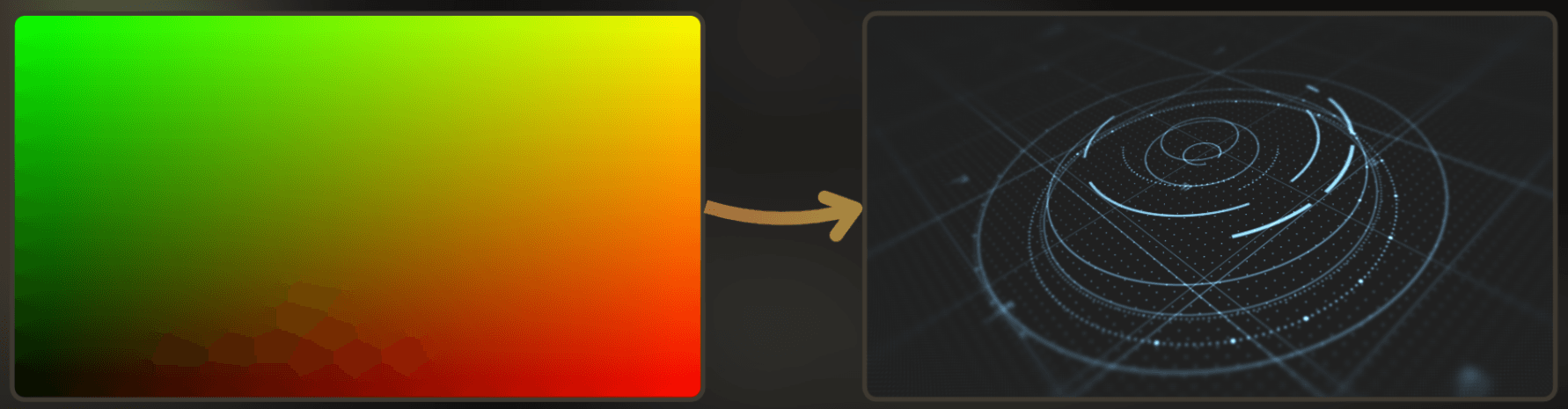
And here you can find my own collection of shadertoy shaders:
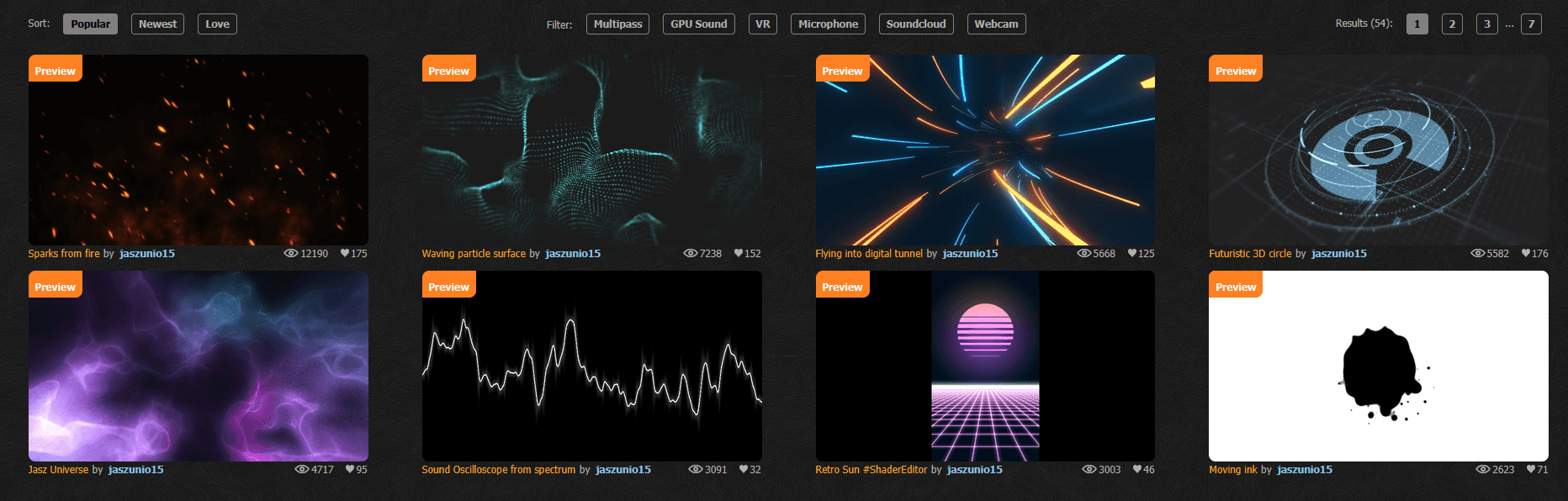
___
2. Go into the engine and play with the vertex shader
For Unity shader learning, Cyanilux's resource index is a strong starting point alongside experimentation.
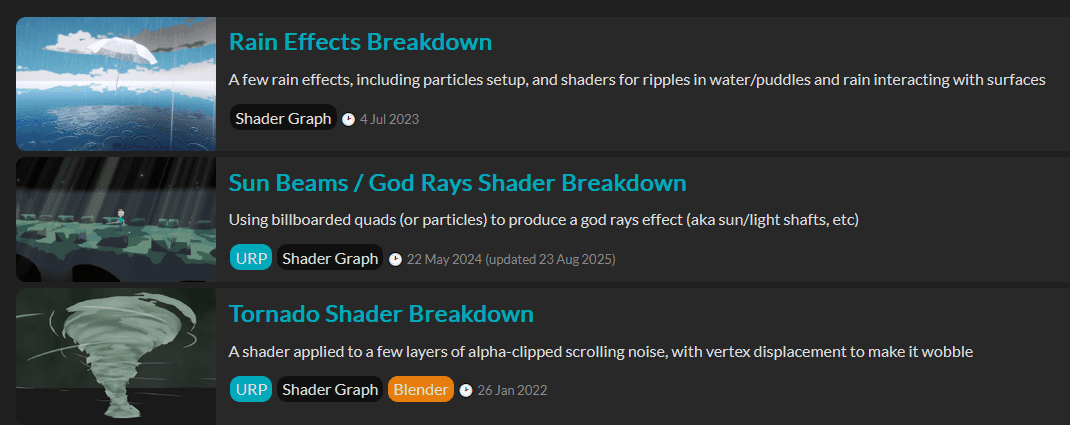
Everything you learn in ShaderToy is about how to use UV creatively. Vertex shaders let you access more data per pixel and place vertices on the screen yourself. Freya Holmer's channel is great for building math intuition before you write engine shaders.
When you have more intuition from fragment shaders, you can try:
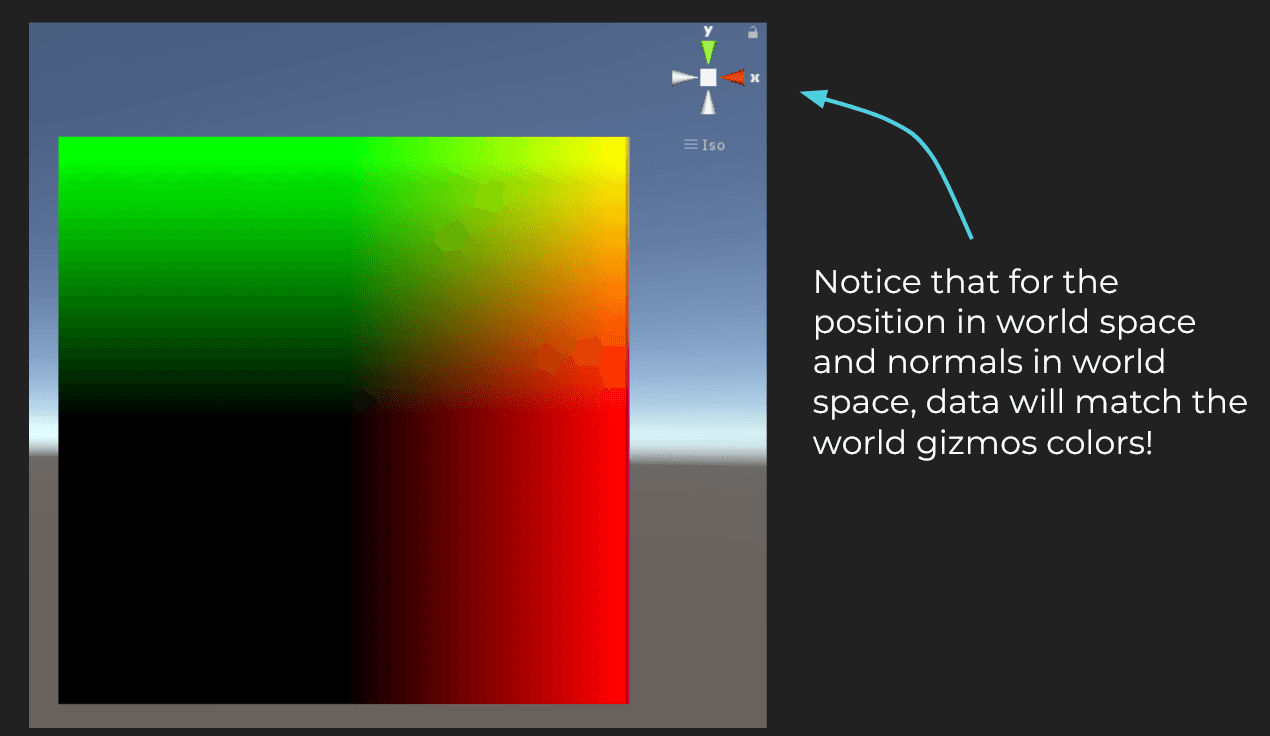
Displaying various vertex attributes. Fragment shader only gets what the vertex shader passes down. Figure out what data you actually have - position, UV, normals - before you write fancy materials.
Here I displayed position in world space:
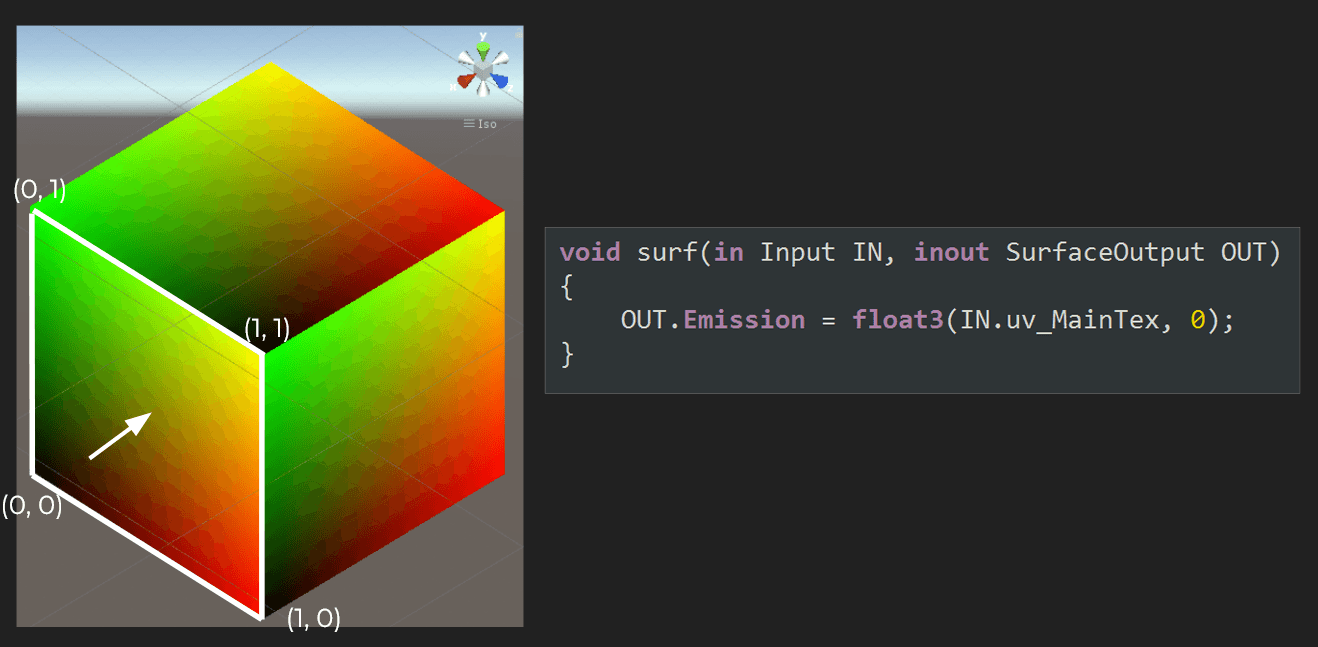
And here is the UV:
Learn to feed and use custom textures. At some point you need real textures, not colors from math.
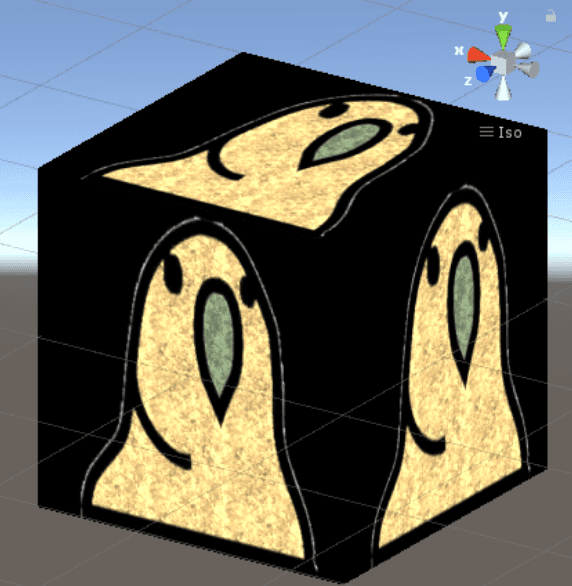
Mesh deformation. Move vertices in the vertex shader. Skinning, wind, waves - same idea.
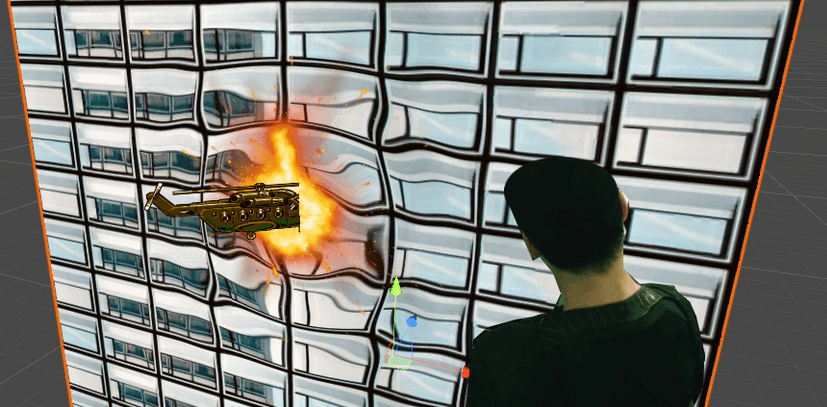
Fresnel and basic lighting. View angle, normals, tangents, using them to make surfaces less flat.
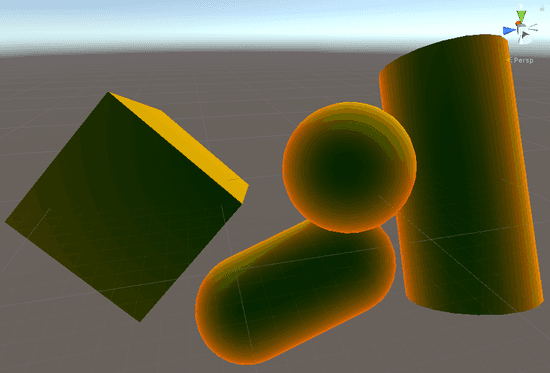
Learn about normal maps - fake detail without extra geometry.
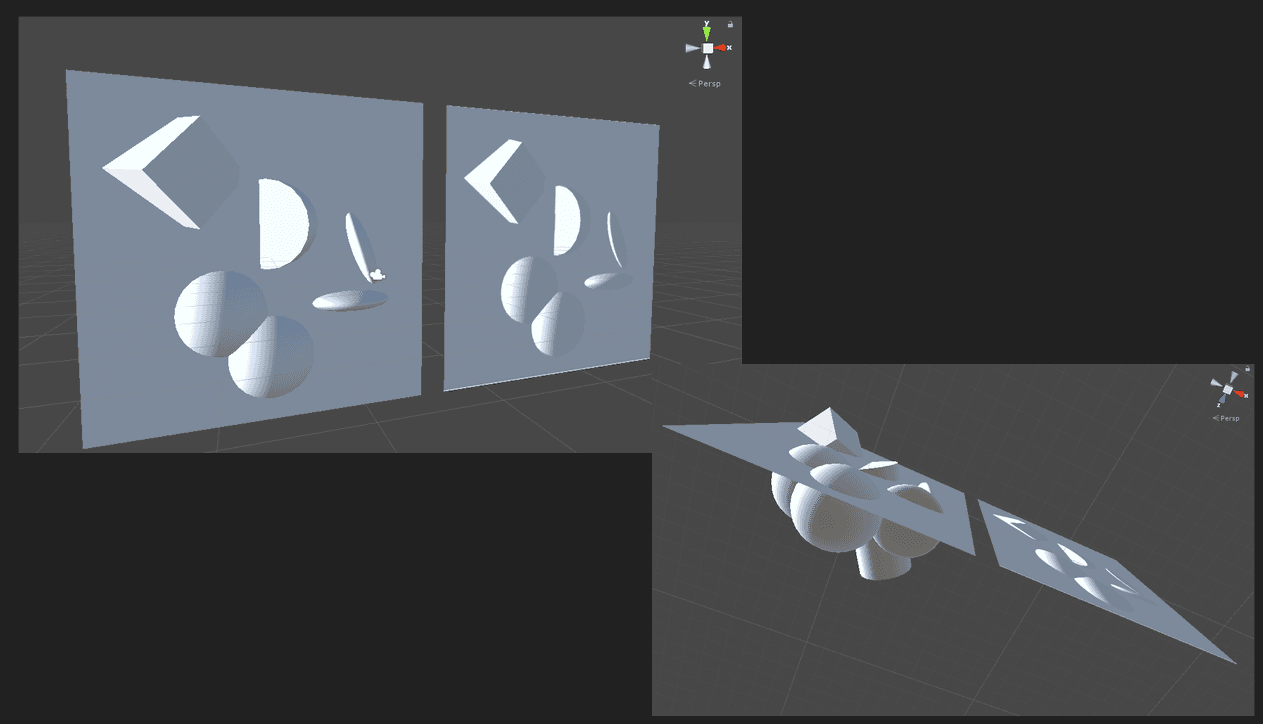
Finally you can reimplement some of the rendering techniques from Shadertoy into Unity.
___
3. Go deeper - color targets, depth buffer
Learn to use graphics debuggers and profilers like NVIDIA Nsight Systems and RenderDoc to inspect draw calls and buffers like the depth buffer. Shader looks wrong and you have no idea why? Debugger/profiler from your GPU vendor will tell you what's actually in the buffers (my debugging article goes deeper).
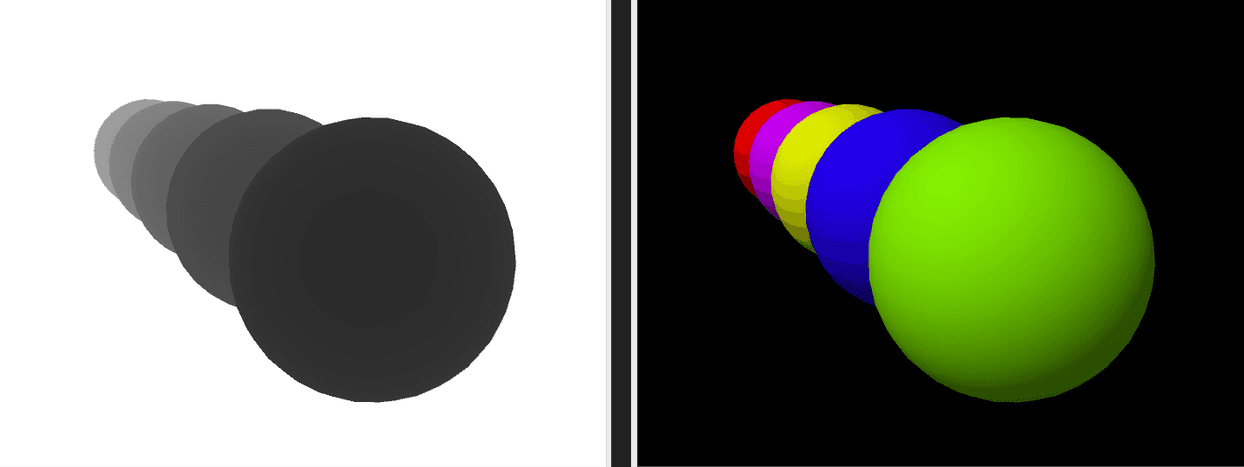
Transparency, color blending, and render order. Transparency breaks so easily when draw order is wrong, but sorting objects is also costly. Every TA learns this the hard way.
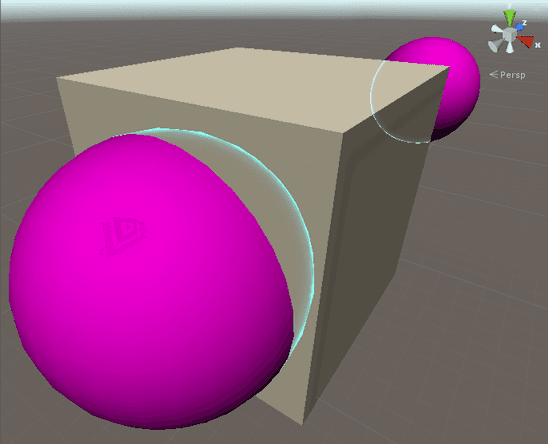
Using different depth testing methods to draw silhouettes. Depth buffer = what's in front. Outlines, x-ray, silhouettes - you're just messing with depth tests.
Render content into a texture and reuse it in the shader. Render to texture. Minimaps, mirrors, optimization tricks - same idea over and over.
I think this is actually the most important skill every technical-artist should have. You can read my article about it here:
https://www.proceduralpixels.com/blog/rendering-into-texture-the-most-important-ta-skill
Here, I highly recommend exploring the https://www.cyanilux.com/resources/.
___
4. Go deeper - shadows, reflections, deferred rendering, instancing, fog, compute shaders...
Until now it's been piece by piece. Here you see how a renderer actually wires it all together - shadows, deferred, instancing, fog, compute as parts of one system.
I highly recommend Catlike Coding tutorials by Jasper Flick, at least if you want to do rendering in Unity. The Rendering series covers all of this.
There are many topics to learn here. By this point you should have a decent feel for what rendering can do. For deeper dives, GPU Gems is a classic.
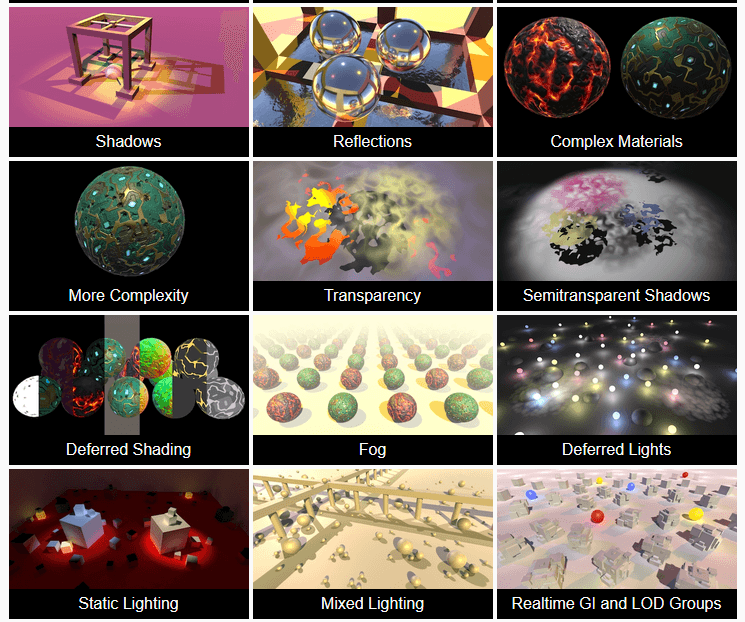
Source: Catlike Coding - Rendering
With this knowledge, you can start swapping in-engine features with your own custom ones. As an example, here are my articles about implementing a custom particle system:
https://www.proceduralpixels.com/blog/implementing-mesh-dissolve-effect-from-scratch
https://www.proceduralpixels.com/blog/optimizing-gpu-driven-particle-system-to-run-4x-faster
___
5. Go even deeper - implement your own render pipeline
With this approach, you should build strong intuition about what is possible in rendering. I think that is a solid foundation for implementing your own render pipeline and moving to low-level graphics APIs like Vulkan or DirectX 12.
Implement your own engine/renderer
Build a custom pipeline.
Mesh shaders, raytracing - modern APIs open up stuff that changes how you think about rendering
Or just pick one rabbit hole: global illumination, particles, water, skinning, whatever. Each sub-field is deep enough to spend years on
___
Few notes
Learning graphics programming is a long run. You cannot do it quickly. You need to prioritize having fun to survive! Without enjoying the process, you will not keep up. There is so much to learn.
Everyone is different, when you prioritize fun, not every learning path will be fun for you.
It has never been easier to start graphics programming, but there has never been more to learn. The skill ceiling is VERY HIGH.
Do not plan your learning path in detail, because each week of new knowledge changes your view and what feels fun. Every time I hear that someone has a plan for what to learn in graphics over the next 3 months, I know they will change their mind in 2 weeks. At the start, you do not know what interests you. Focus on what interests you, and time will fill in the gaps. To stay current once you are learning, Jendrik Illner's weekly graphics roundup collects the best new articles.
Do not outsource your thinking to AI. AI is useful to explain how something works or to check whether you understand something properly, not to do the work for you. Use the fact that AI has mastered beginner knowledge in any field, and pull that knowledge into your brain instead of outsourcing your thinking process.
Networking is important. There is so much to learn that it is very easy to skip fundamental knowledge. Share your work with others, talk to other graphics programmers, ask a lot of questions, and go to local gamedev events nearby you, especially conferences. You can also pick a world-recognised converences like GPC, SIGGRAPH, or REAC. You will be amazed how often you miss something important and only discover it when interacting with others.
For me, reading the shader code or article is not enough - I need to implement that myself to understand. Learning by reading, instead of doing skips very important nuances. A lot in graphics programming is learned in practice.
For all graphics programmers, one problems are obvious, while others are hard. Every graphics programmer "feels" the problems different. This is why many tutorials can skip many informations, while focusing on something else. In every tutorial there is A LOT to figure out on your own. It can be frustrating - it is a part of the job - it never goes away.