Intermediate
Rendering
Tutorial
Tech-Art
Terrain hack: Fastest erosion algorithm ever
15 min

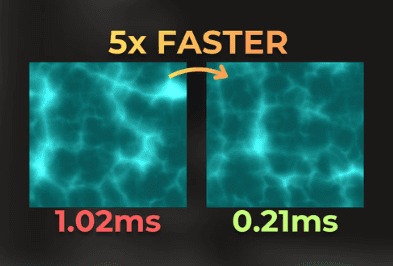
This is the fastest, and the simplest terrain erosion algorithm I've tried. Explained in detail.
This is the fastest hydraulic terrain erosion algorithm I've tried. It was accidentally discovered by Hatchling, a Shadertoy user. When he created those shaders, I was experimenting with terrain erosion myself, and seeing a new algorithm was quite unexpected.
So, I studied his shaders and implemented my own version in Unity to learn more about them. Below erosion takes 100ms for a 1024x1024 heightmap on RTX 3060. It would take 1 second to process 10 KM2 of the terrain - insane efficiency.
(For 1 sample per m2)

The performance of this algorithm depends on the input parameters, it can range from 100ms to 2 seconds per one kilometer squared. I was very satisfied with 300ms / 1Km2 performance.
Since learning this algorithm, I haven't seen it used by anyone else, so in this article I will explain in detail how the algorithm works.
Spoiler: it is simple.
___
How the Hatchling's algorithm works

The author discovered this algorithm by accident, so don't expect it to simulate water, raindrops, or anything physically-based. The algorithm uses a clever mathematical trick.
Let's see how it works in a single dimension first, then I will extrapolate it to a 2D heightmap filter.
___
Fourier series analogy
You're probably familiar with the Fourier series, or at least you've heard of that. It is not needed to understand it for the Hatchling's algorithm, but it uses a very similar concept.
A Fourier series is a set of sine functions of different amplitudes, frequencies, and phase offsets that can approximate other functions.
So having this function:

I can approximate it using 5 sine functions, like this:

___
The Hatchling's erosion concept
Hatchling's algorithm uses a similar concept. It approximates the function using a set of different functions.
This is an example 1D heightmap function that I will process. The top line represents the value 1, and the bottom line is 0.

Now, imagine I want to approximate this function using slab-like functions:

___
Creating a "slab" function
Now, how can I create such a function that approximates the original one?
First, I will pick a threshold value, e.g., 0.4.

With this threshold, I can see which part of the function is above or below it. The switch is the intersection point.

Now, I can implement a search window that, for each value in this function, finds the distance to the intersection:

If there is an intersection in the search window, I remap the distance to the intersection into a linear function.

With a smaller search window, the slope is shorter and steeper:

I created this shader code that implements the slab function:
___
Layering multiple functions
Now, I can pick a few thresholds and try to approximate the function. Here is how the approximation looks for 5 layers:

Now, see what happens when I increase the number of layers:

And this is the code that combines the layers:
___
Modifying window size
Now, let's check what happens when I modify the search window size:

A smaller window provides a shape closer to the original function.
___
Comparison with the original function
Now let's compare the original function with the approximation. I plotted both the original and approximated functions.
At first glance, this approximation transfers sediment down the slopes and smooths out small bumps.
:center-px:

It creates pointy hills, giving the impression of loose soil, like sand.
:center-px:

This approximation closely resembles water and soil erosion.
___
Implementing Hatchling's algorithm on a 3D terrain
Now that it works and looks nice for a 1D function, let's make it work for the heightmap as well.
___
Unity setup
I've created a HeightmapRenderer component that renders the terrain heightmap in 3D. This is done to simplify GPU processing of the heightmap. The heightmap uses R_Float32 format, and the renderer generates colors procedurally based on the heightmap values.

I initialized the terrain with fractal value noise, using this shader code:
The terrain is rendered using a dense mesh. I didn't optimize anything here because I want to focus on the erosion algorithm.
:center-px:

___
Slab function for the terrain
As in the 1D implementation, I will now create a slab function. Let's pick a threshold value, for example, 0.3.

The only difference from the 1D function is that the search window is two-dimensional. Instead of a single for-loop, I will use a nested for-loop:
This is 2D heightmap visualization:
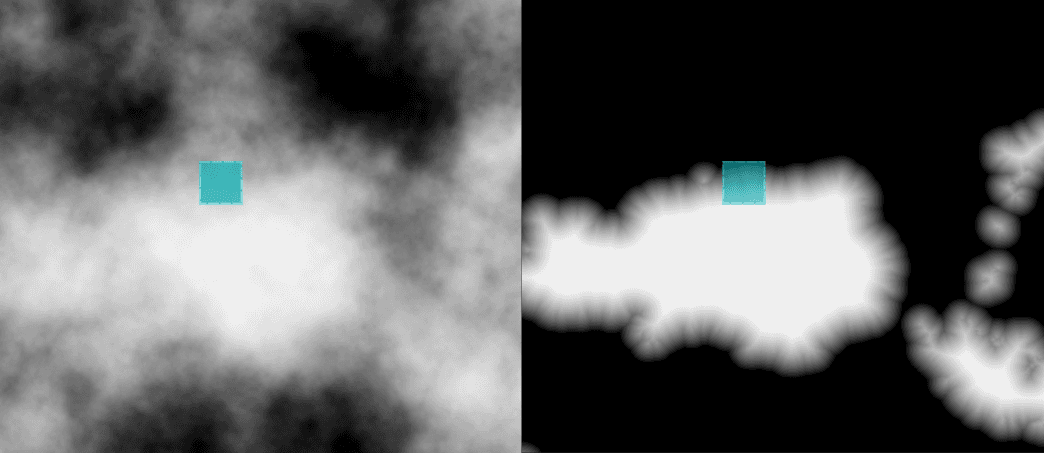
And this is what a single terrain slice looks like. Forcing a specific slope angle creates pyramid-like structures.
:center-px:

For reference, here is the size of the search window.
:center-px:

___
Combining the layers
Now, let's see what multiple combined layers look like. I wrote this code to combine the layers. This code is IDENTICAL to the code for the 1D version.
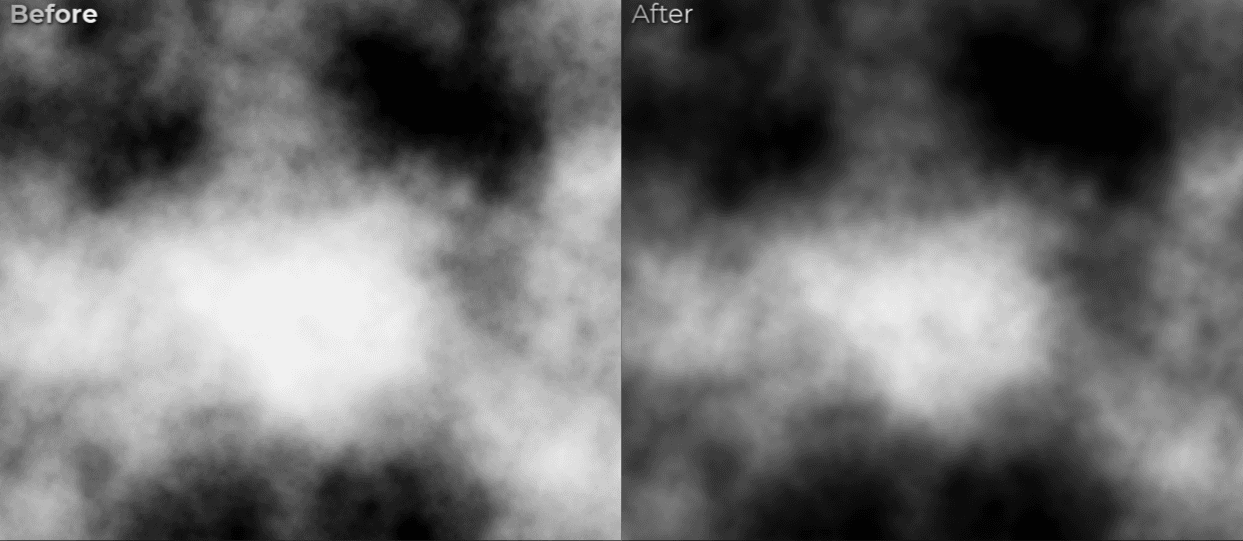
Results:


Wow, isn't that impressive? No water simulation, no droplet simulation, just clever function approximations.
Here are the heightmap processing results.
___
Window size
Now, let's see how the search window size affects visuals and performance. I tested various kernel sizes.
In each case I combined 120 layers for 512x512 heightmap.
Measured time is the time of the erosion application.


___
Comparison - before and after
The implemented heightmap filter flattens bumps on the terrain and mimics soil movement down the slopes:

Full terrain before:

Full terrain after (windowSize=8, layersCount=120, 1024x1024 heightmap)
195 ms generation time on RTX 3060

___
Potential algorithm improvements
Visuals
The first improvement idea is to use a modified search window size depending on the height.

My second improvement idea is to execute the erosion a few times in a row, each with partial opacity.

___
Performance improvements
The highest computation cost comes from search window traversal. For the heightmap, the complexity is O(n^2). The algorithm could be much faster for larger search windows if the search used an acceleration structure, such as a min-max quad tree.
___
Pros and cons of Hatchling's erosion

Let's consider the pros and cons of this algorithm:
Pros:
Very simple implementation - core functions fits into 30 lines of code.
Easy to improve visuals further.
Few parameters - no confusion when adjusting them.
The most efficient hydraulic erosion I've seen.
With even more potential for performance improvements, for example with min-max quad tree acceleration for the search.
Doesn't create any artifacts as long as layers count is high.
Cons:
Works only on a heightmap - doesn't produce other outputs, like sediment transport or water flow velocity.
(But the author of this algorithm was able to render the rivers created by this algorithm, so it is definitely possible to add some of the outputs - I just didn't study that)
The algorithm isn't based on real-life observations and relies on a math trick.
Works best with a noisy input.
___
Hatchling's shaders I've studied
Those are the shaders I've studied to learn this algorithm:
Procedural Erosion 2.0 by Hatchling https://www.shadertoy.com/view/ddXSRr
Large Mountains Erosion Terrain by Hatchling: https://www.shadertoy.com/view/cd2GDz

___
Source code of my implementation
Here you can find unitypackage/zip for Unity 6000.2.9f1:
Hatchling's Erosion by Jan Mróz.unitypackage
Hatchling's Erosion by Jan Mróz.zip
:center-px:
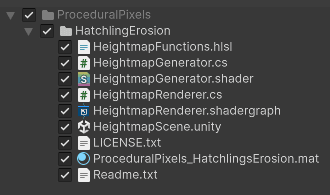
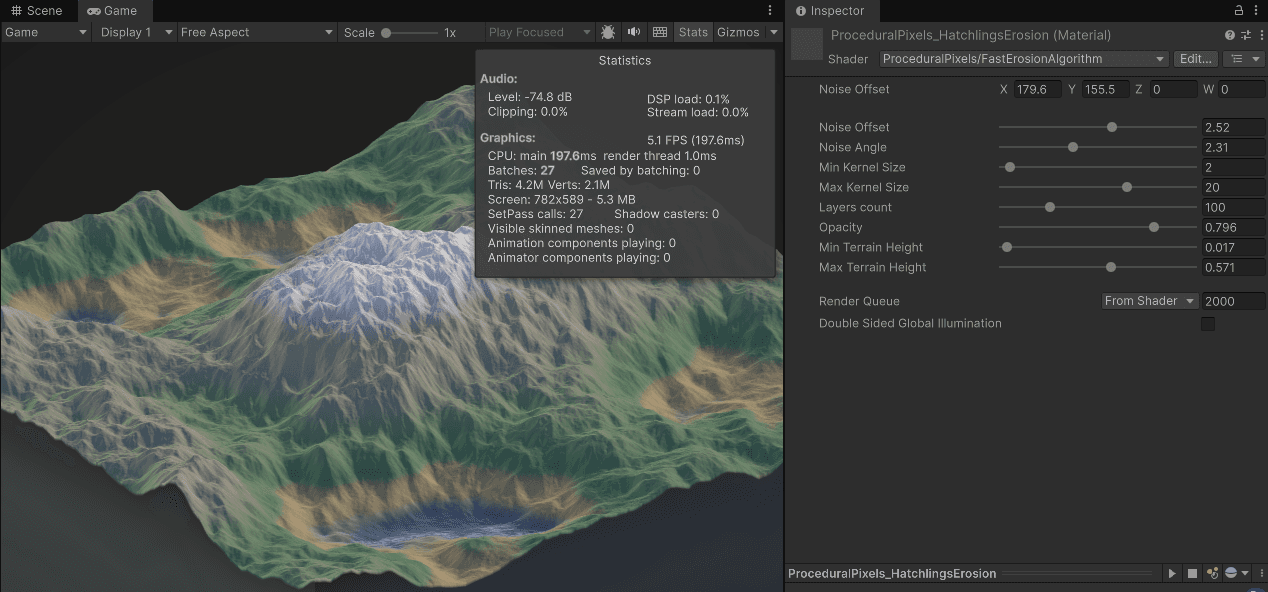
It contains a simple scene, that generates the terrain over and over again, where you can play with the erosion parameters:
___
Summary
Hatchling's erosion algorithm is the fastest I've seen for hydraulic terrain erosion. It processes a 1024x1024 heightmap in about 100-300ms on RTX 3060 (depends on the parameters)
It is not physically accurate, but it quickly produces believable results - for gamedev, that is often all you need.
If you have questions or feedback, feel free to leave a comment on my LinkedIn post:
Link to a linkedin post

___
You may also like
Improving Unity's grass shader
:center-px:
I made this shader run 5x faster
:center-px: